Loading...
Jl. TGH. Zainuddin Abdul Majid No.134, Pancor, East Lombok, NTB
Thu : 06:16 PM
+6283129627302

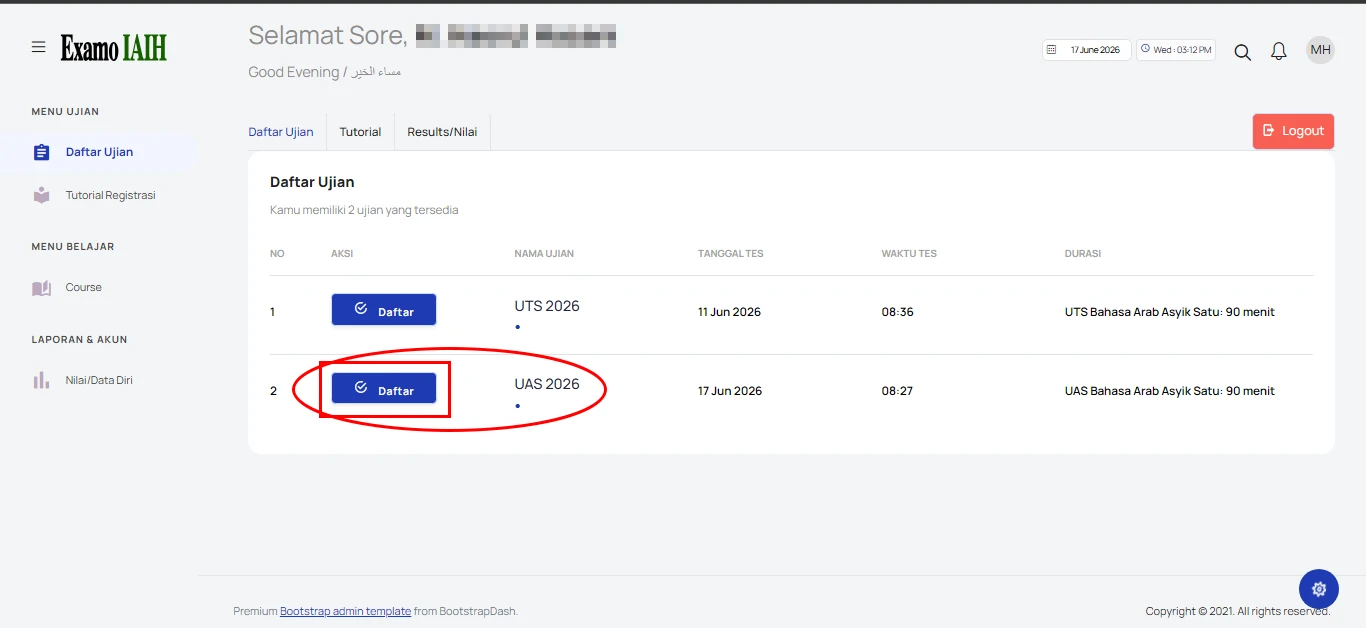
1. Selecting an Exam

After successfully registering and logging in, you will be directed to the exam list page. Please select the exam you wish to take, then click the Register button.

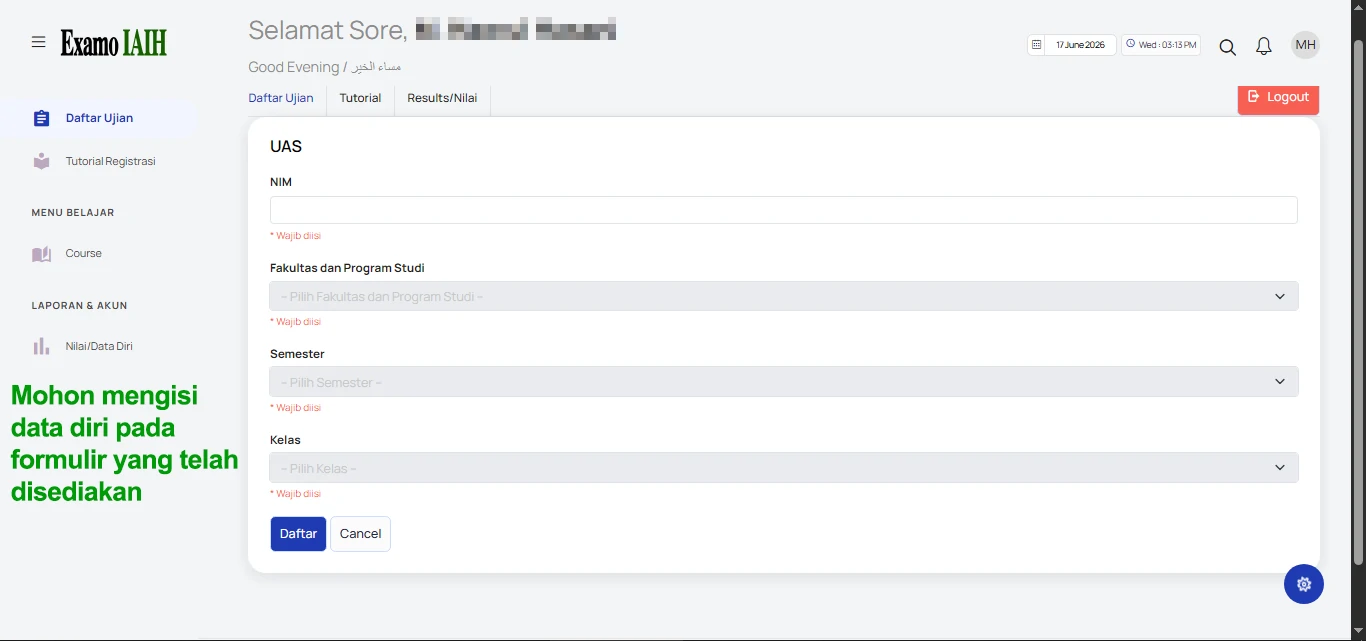
2. Filling Out the Exam Registration Form

Next, an exam registration form will be displayed containing information such as Student ID, Faculty, Study Program, Semester, Class, and other required details as shown in the image. All fields must be completed accurately. Once finished, click the Register button.
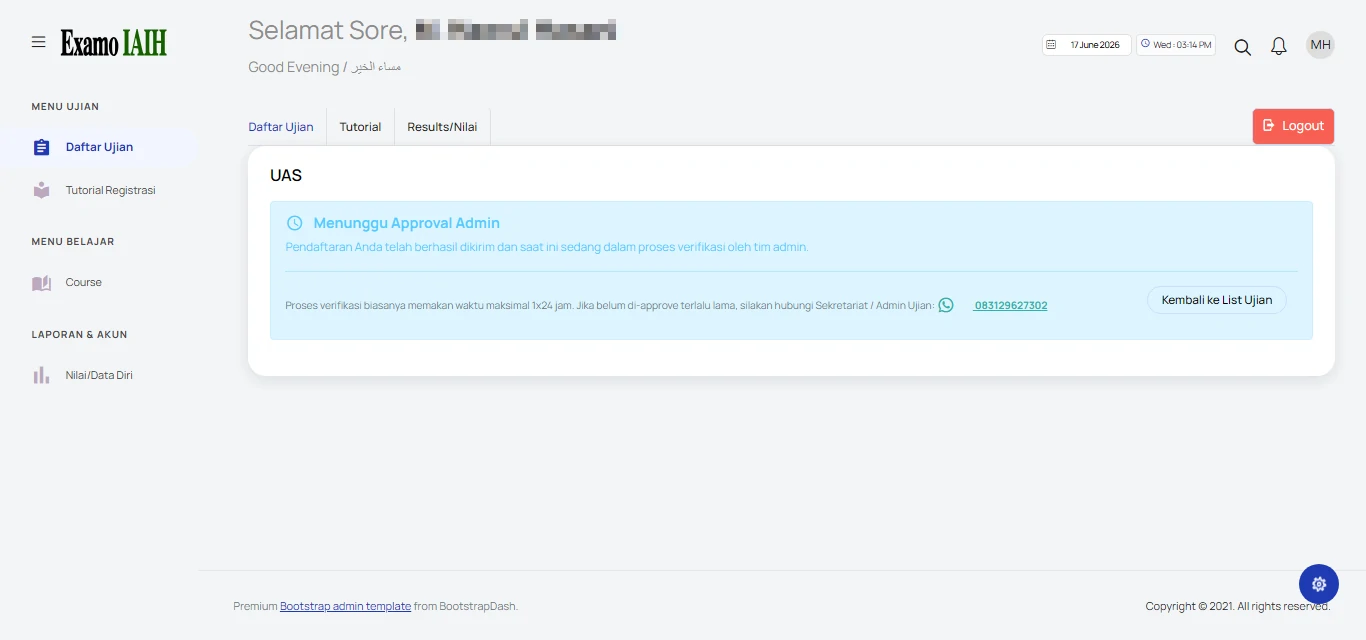
3. Waiting for Admin Approval

If the registration is successful, the status will appear as shown in the image, displaying "Waiting for Admin Approval" in blue.

4. Exam Schedule Available

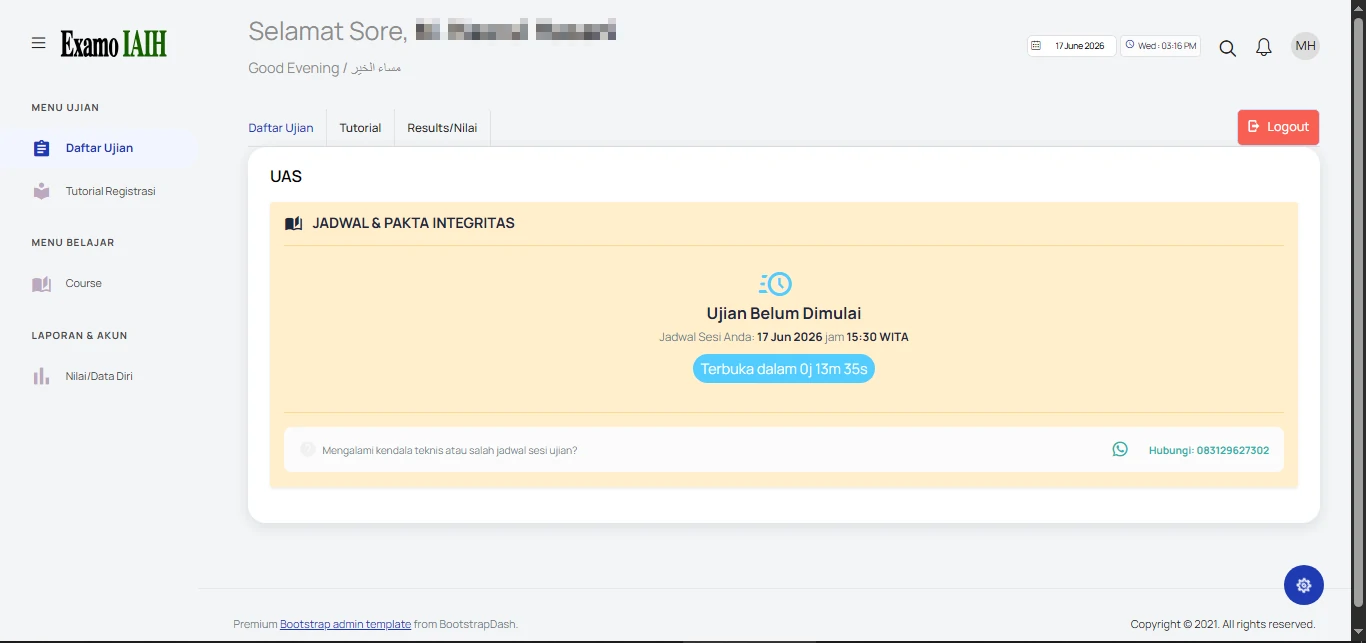
Once your registration has been approved by the administrator, the status will change as shown in the image. The exam schedule and a countdown timer to the exam session will be displayed.

5. Starting the Exam

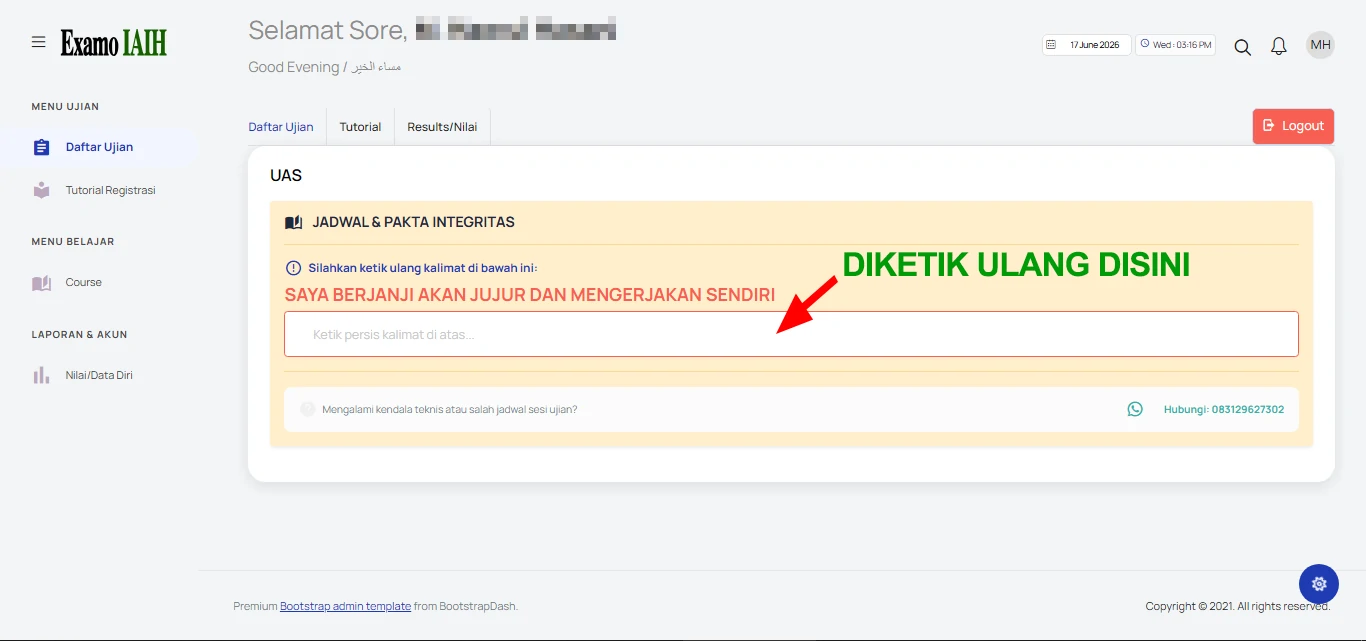
When the exam date and time arrive, you will be asked to retype the statement "I promise to be honest and complete the exam independently". Type the statement correctly. After that, the Start Exam button will appear. Click the button to begin the exam.

6. Taking the Exam<

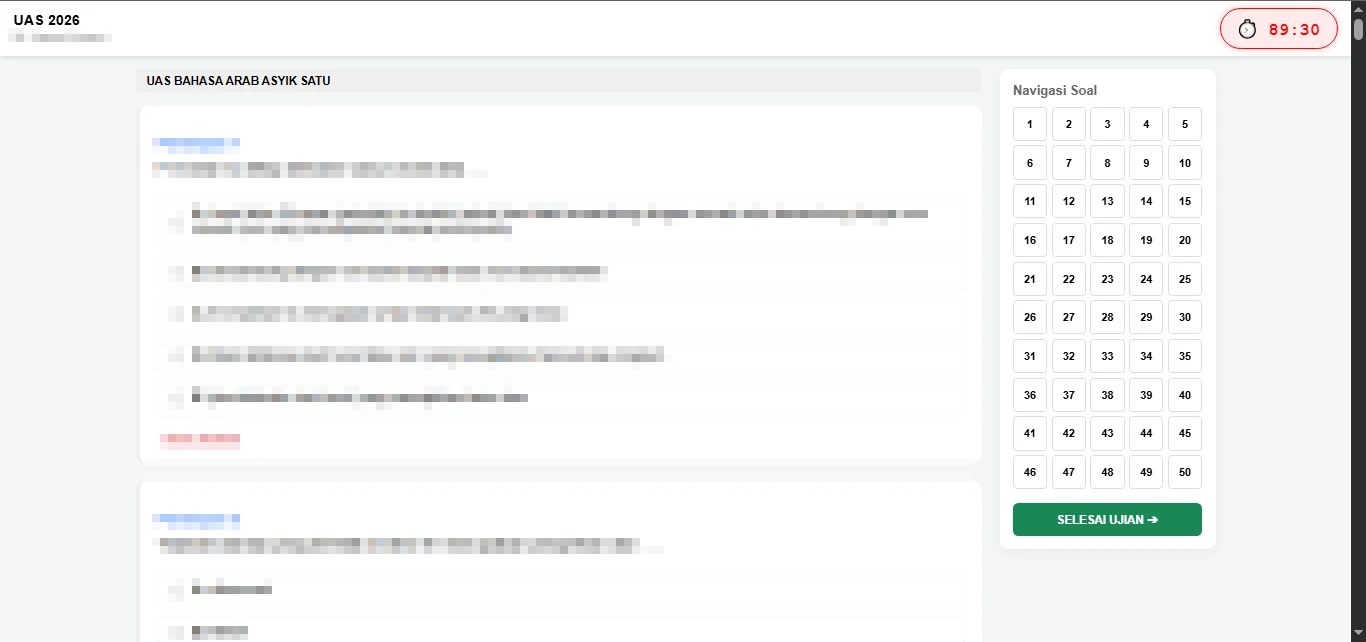
After entering the exam page, the questions and answer options will be displayed. Please answer all questions honestly, accurately, and seriously. Once you have completed all questions and are confident with your answers, click the Finish Exam button to submit your exam.

7. Viewing Exam Results

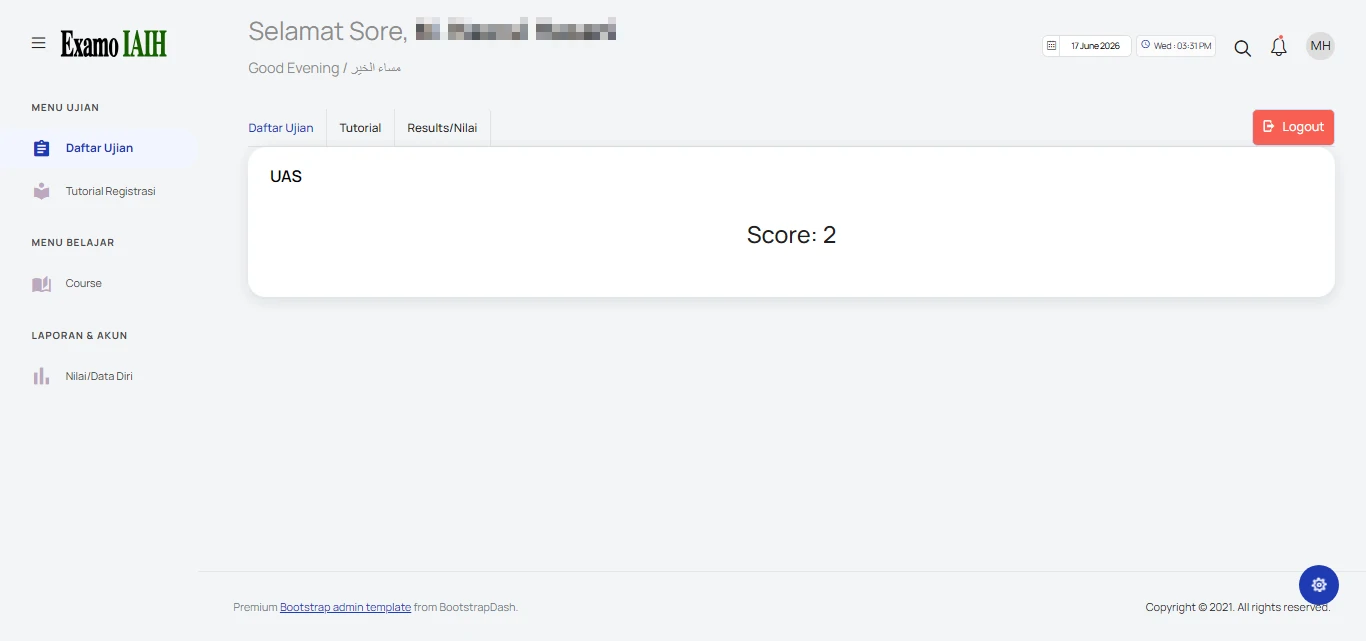
After the exam is submitted, your score will be calculated automatically and displayed on the website, as shown in the image. If your score does not appear, please contact the administrator to ensure that your exam results have been processed correctly.