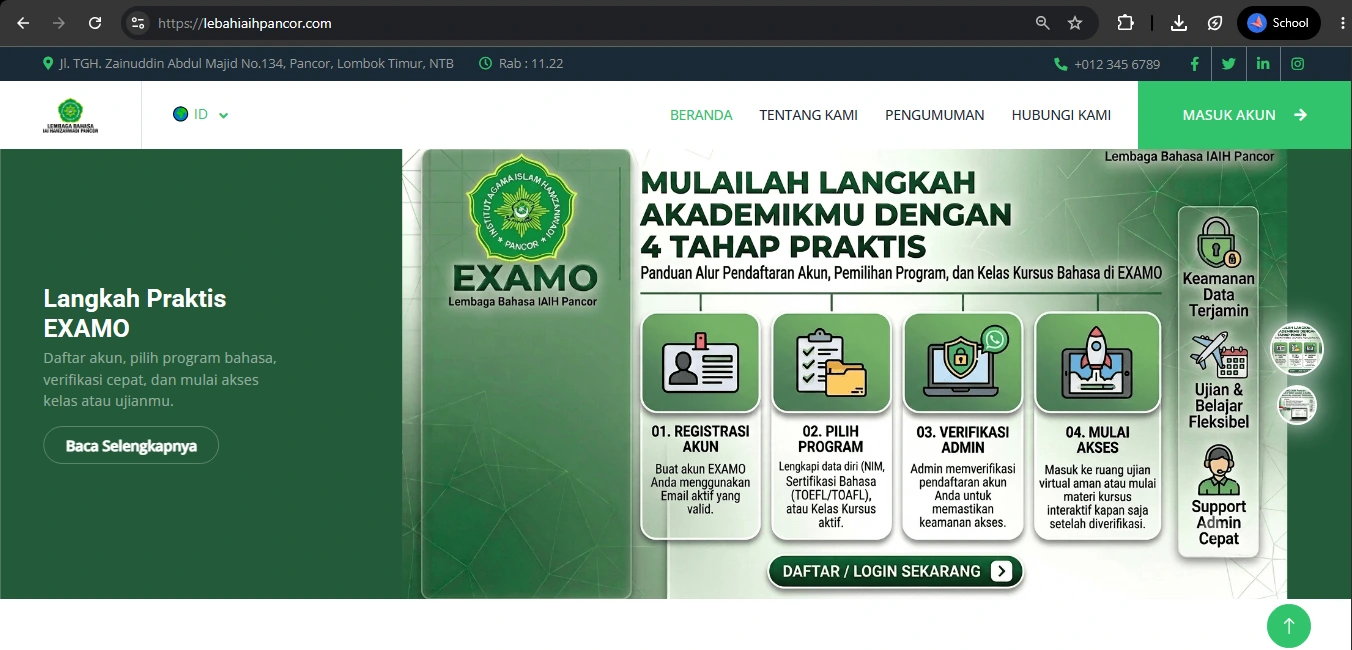
1. Visit Website
Visit the official website of the Language Center of IAIH Pancor at:
lebahiaihpancor.com.
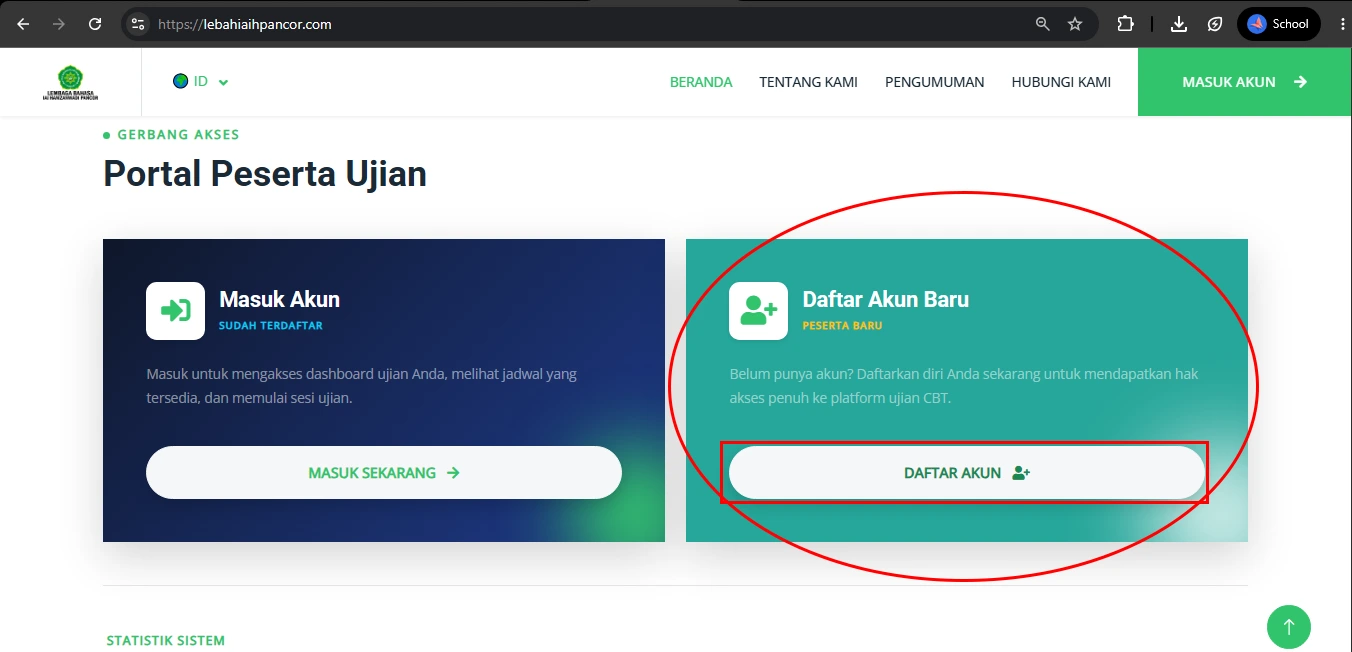
2. Find the "Register" button
Scroll down the homepage until you find the
"Register" button as shown in the guide image, then click it to begin the registration process.
For direct and faster registration, please access the following registration page: lebahiaihpancor.com/register
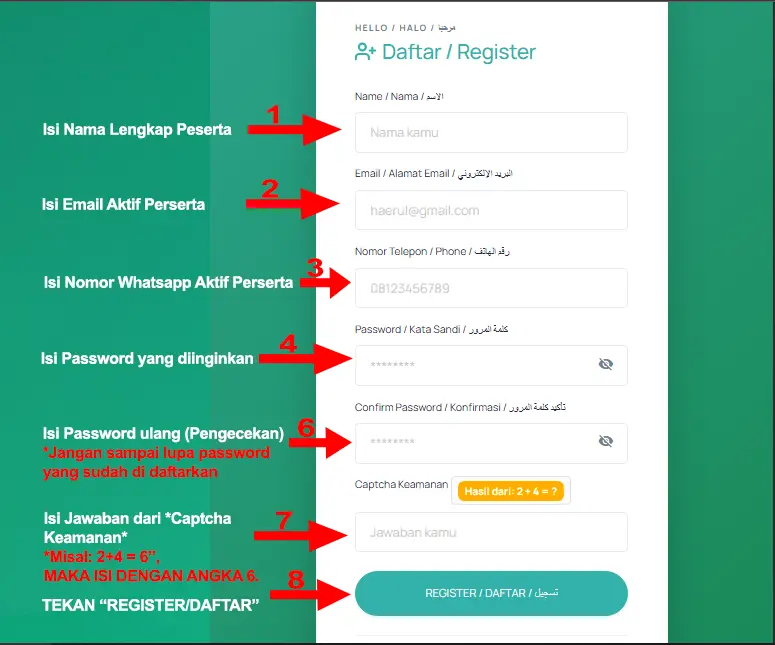
3. Fill Out the Form
You will be redirected to a green-colored registration page. Complete all required information according to the provided instructions, including:
- Full Name
- Email Address
- WhatsApp/Phone Number
- Password
- Confirm Password
- Security captcha by answering the randomly generated addition question.
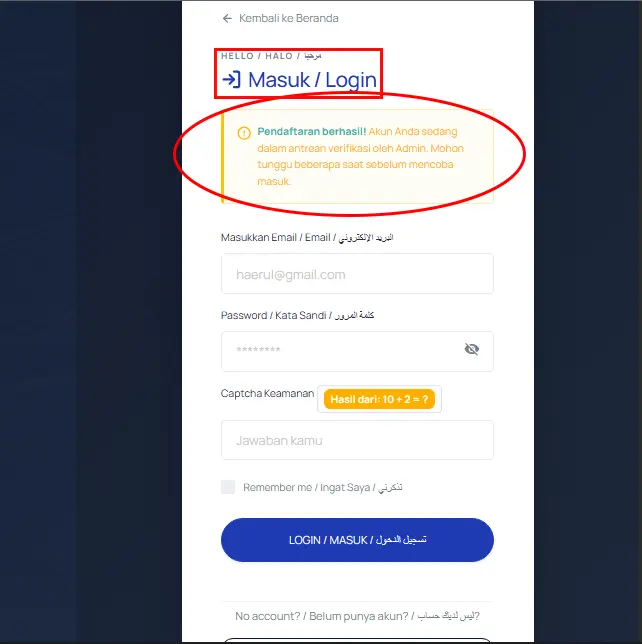
4. Registration Success Indicator
If the registration process is successful, the page will change to a blue-colored interface displaying the following message:
"Registration successful! Your account is currently in the admin verification queue. Please wait a moment before attempting to log in."This message indicates that your registration has been successfully submitted and is awaiting administrator verification.
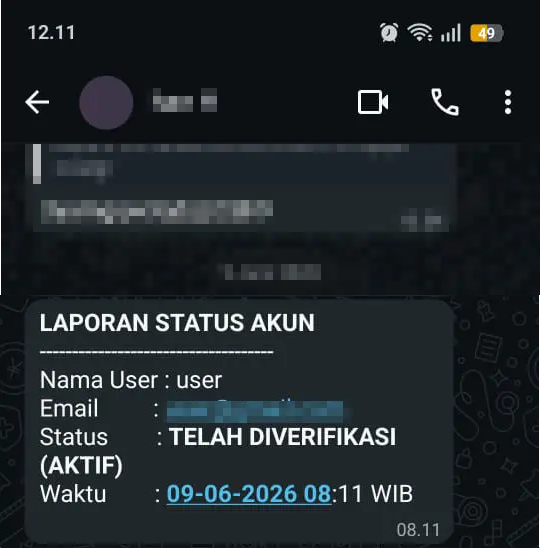
5. Active Account Notification
Please wait for an automated WhatsApp message from the system informing you that your account has been activated and is ready to use.
Once you receive the notification, you may log in through:
lebahiaihpancor.com/login.